
React ran my useEffect twice
Why React runs your effects twice in development, what Strict Mode is actually doing behind the scenes, and how it helps you write safer, predictable code.
🧩 Introduction
Something strange happened in my React app.
I wrote a simple useEffect.
It had an empty dependency array.
It should run only once.
But it ran twice.
At first, I thought:
“Is React buggy?”
“Why is this happening?”
Turns out…
👉 React did it on purpose.
And once you understand why,
you’ll start appreciating React at a completely different level.
This blog is not just about fixing that issue.
It’s about understanding how React thinks internally.
⚠️ The Situation Every Developer Faces
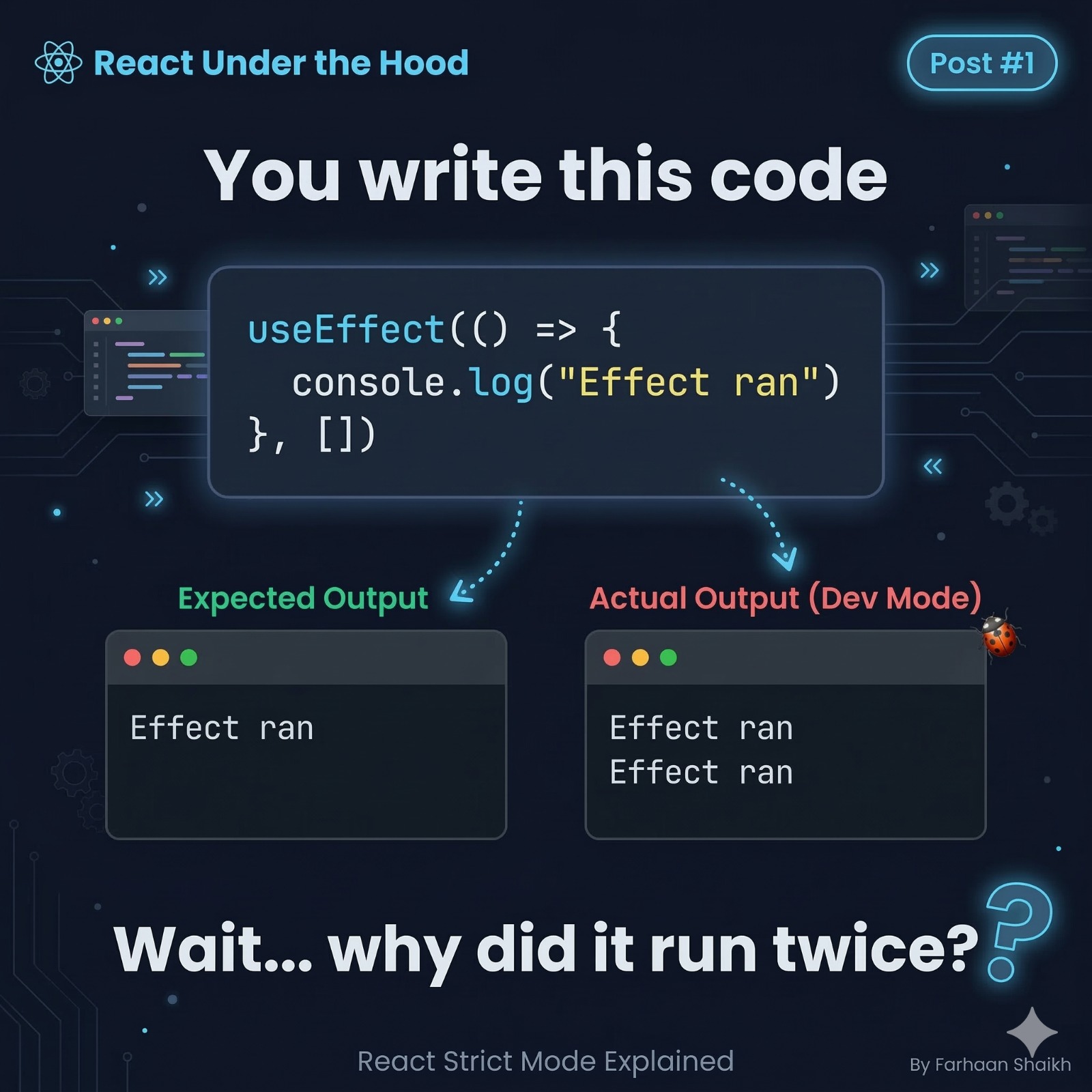
Let’s start with the exact code:
typescript
useEffect(() => {
	console.log("Effect ran");
}, [])
Expected output:
plain text
Effect ranActual output (in development):
plain text
Effect ran
Effect ran
This is where confusion begins.
You wrote correct code.
Your dependencies are correct.
There is no loop.
Still…
👉 Why twice?
🔍 First Important Truth
This behavior only happens in development mode.
Not in production.
So React is not “breaking your app” in production.
Instead…
👉 React is testing your code during development.
🧪 The Real Reason
React wraps your application (by default in many setups) with something called:
Strict Mode
typescript
<React.StrictMode>
	<App/>
</React.StrictMode>
Now here’s the key:
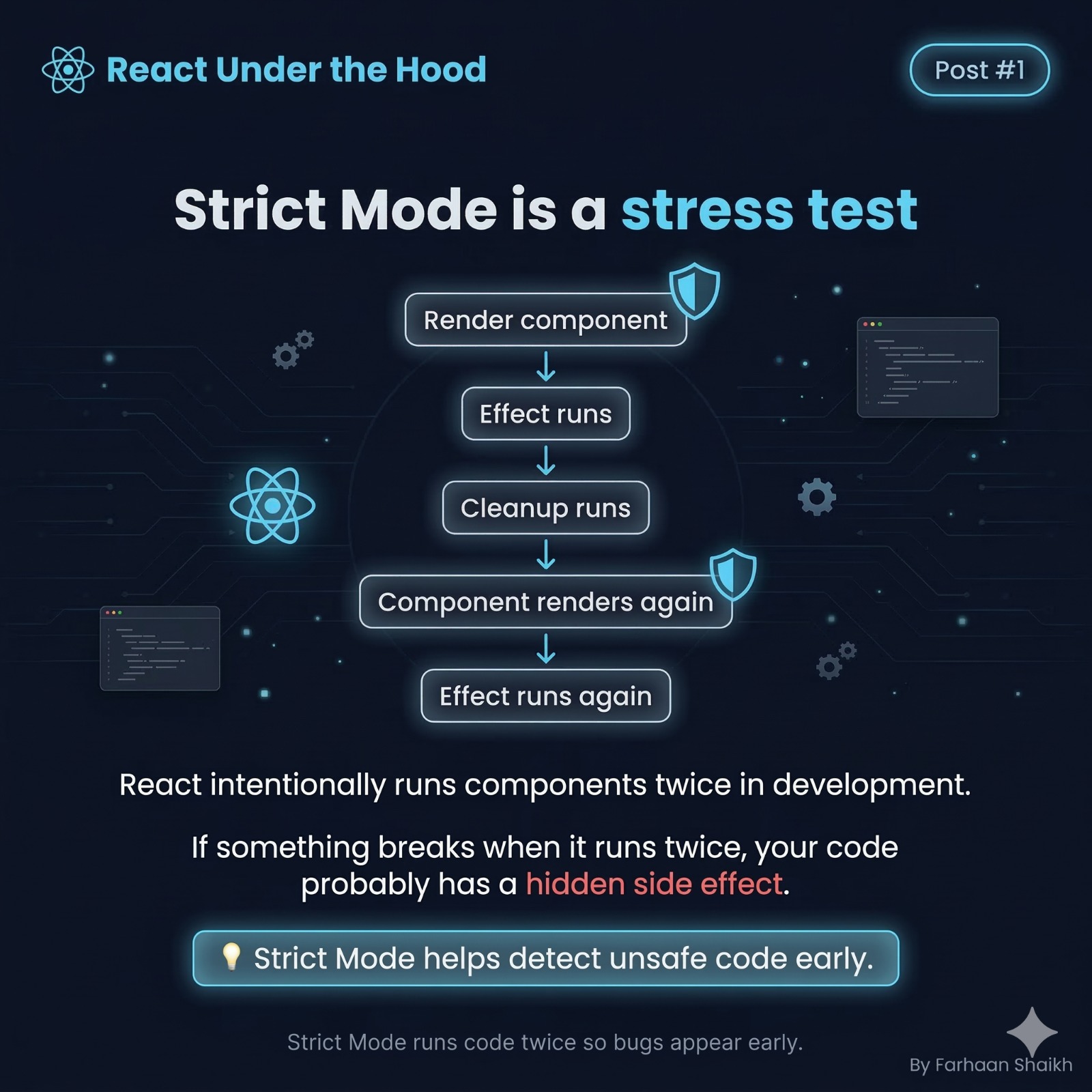
👉 In Strict Mode, React intentionally runs certain functions twice.
This includes:
- Component render
- useEffect
- Cleanup functions
🧠 Why Would React Do That?
Because React wants to catch bugs that are:
👉 Hidden
👉 Hard to reproduce
👉 Dangerous in real-world apps
Think of it like this:
It doesn’t just check if your code works once.
It checks:
👉 “Will this still behave correctly under stress?”
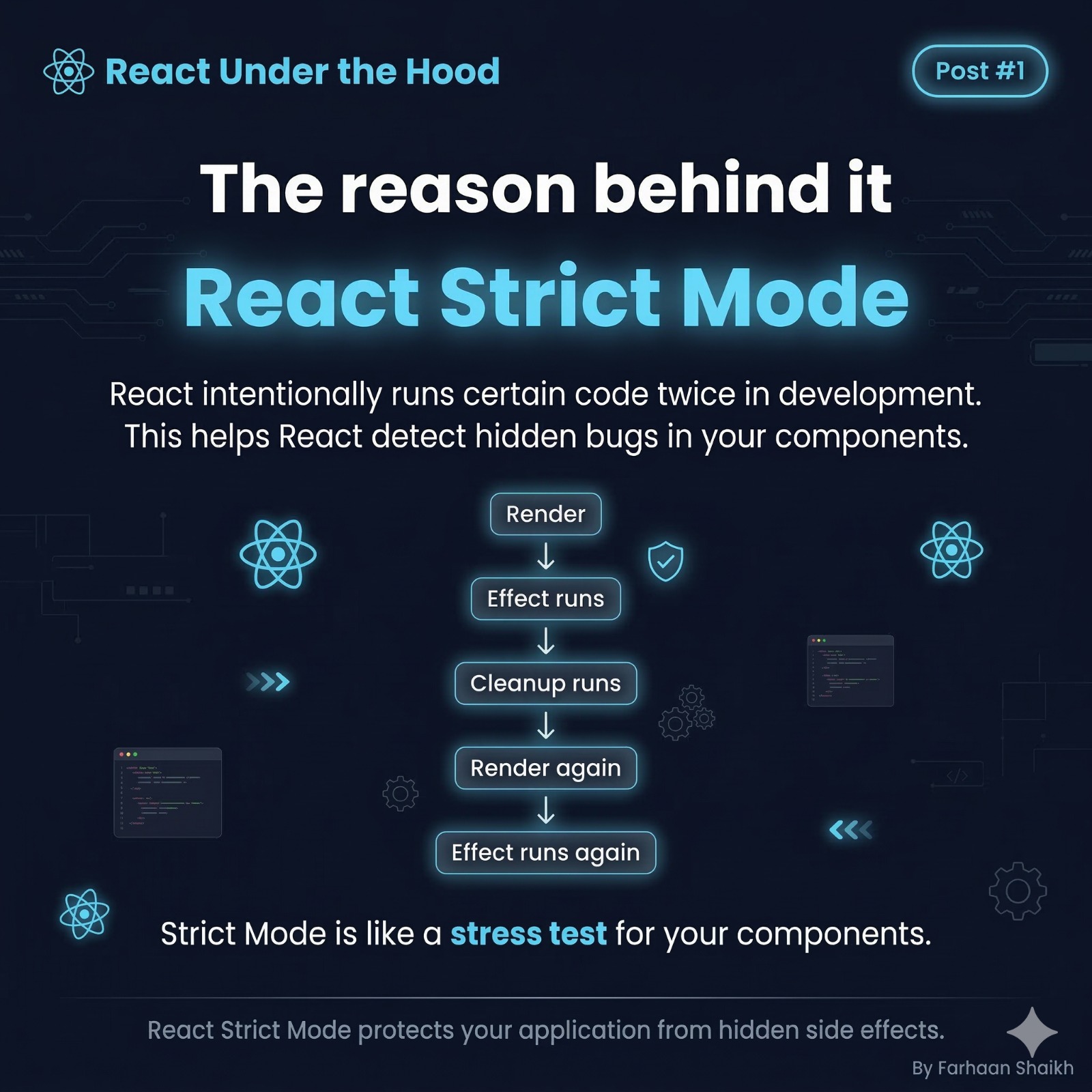
🔁 What Actually Happens Internally
When your component mounts, React does something like this:
plain text
1. Render component
2. Run useEffect
3. Run cleanup (if exists)
4. Re-render component
5. Run useEffect again
This is NOT random.
It’s a deliberate simulation.
💡 Analogy (This Will Make It Click)
Imagine you built a bridge.
You test it by:
- Walking once → it works
- But then…
A real engineer will:
👉 Shake it
👉 Load it
👉 Stress test it
Why?
Because real-world conditions are unpredictable.
React is doing the same thing.
👉 It is stress-testing your component.
⚙️ What React Is Actually Testing
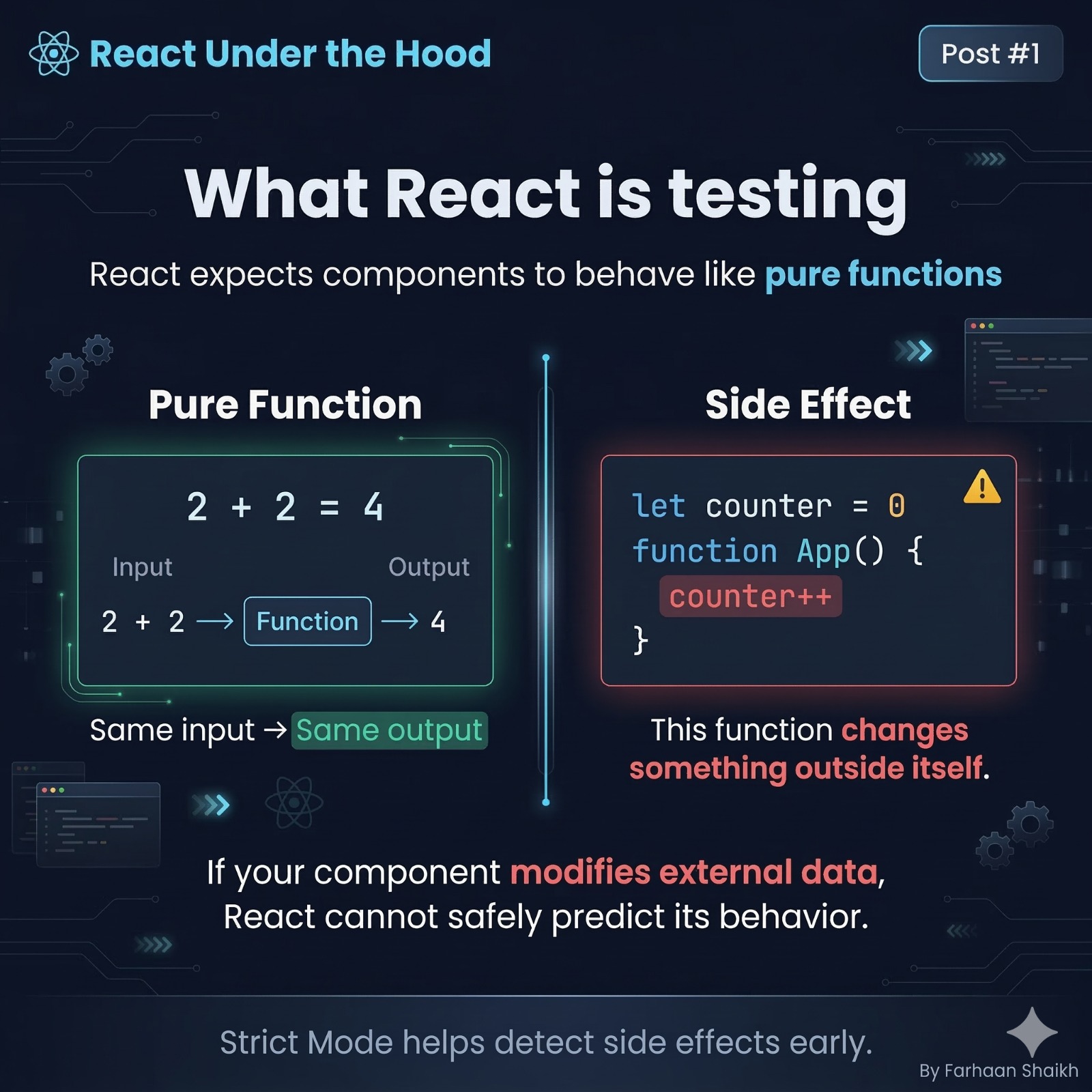
React expects your components to behave like:
✅ Pure Functions
A pure function means:
- Same input → Same output
- No side effects
- No external changes
Example:
typescript
functionadd (a, b) {
	return a + b;
}
Always predictable.
❌ What React Hates: Side Effects
A side effect is when your component:
- Modifies external variables
- Talks to outside systems without control
- Changes something React doesn’t track
Example:;
typescript
let counter = 0;

function App() {
	counter++;
}
Now this is dangerous.
Because:
👉 React does NOT control counter
💥 The Hidden Bug (Why Double Run Helps)
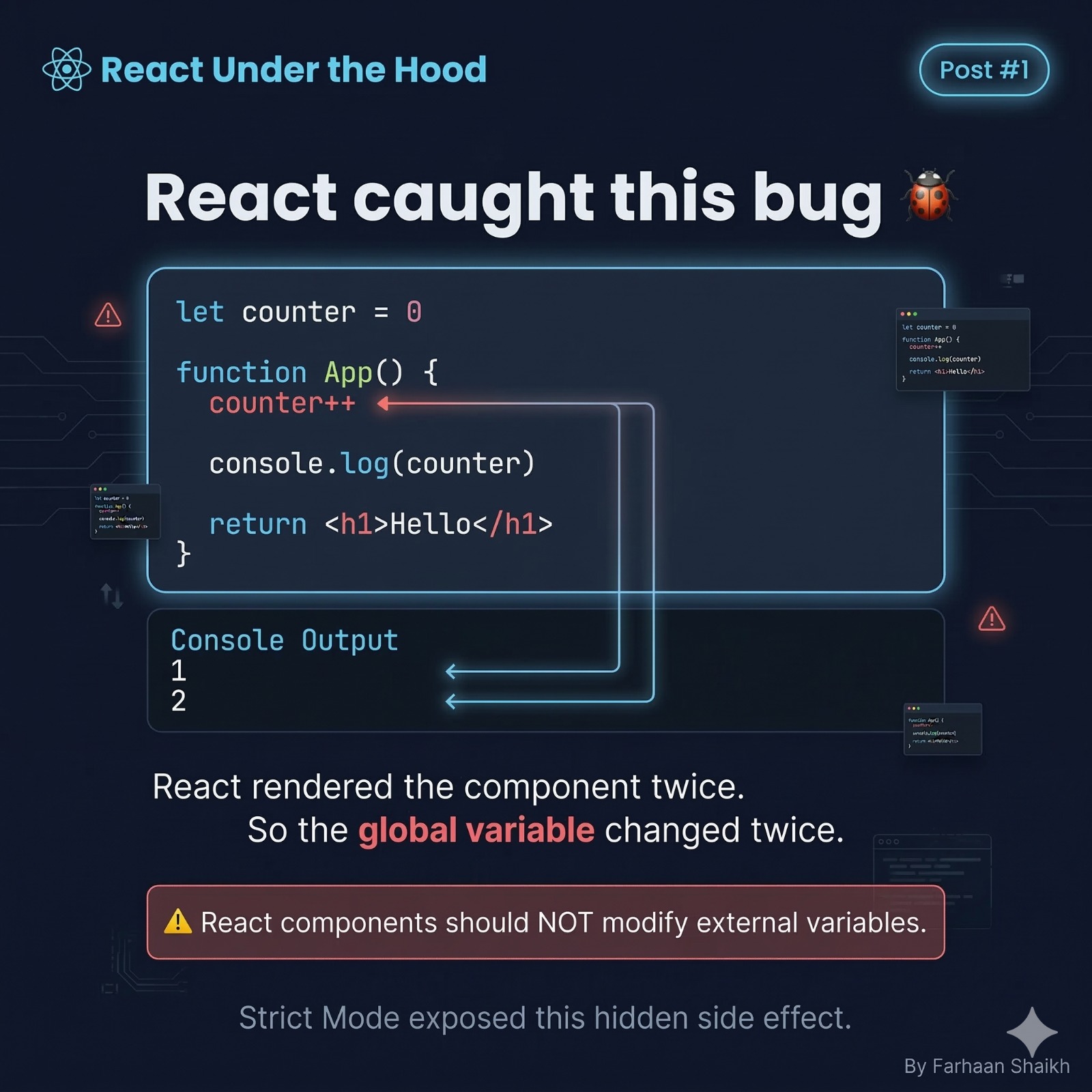
Let’s analyze:
typescript
let counter = 0;

function App() {
	counter++;
	console.log(counter);
}
Output:
plain text
1
2
Why?
Because React rendered twice.
The real issue:
Your component is not isolated anymore.
It is affecting global state.
Why this is dangerous in real apps:
- Multiple renders → inconsistent data
- Bugs that only appear in production
- Hard-to-debug behavior
🔥 Key Insight:
If your code behaves differently when run twice…
👉 It was already broken.
React just exposed it early.
✅ The Correct Mental Model
👉 Components should NOT depend on external mutable values.
Instead:
👉 Let React manage everything.
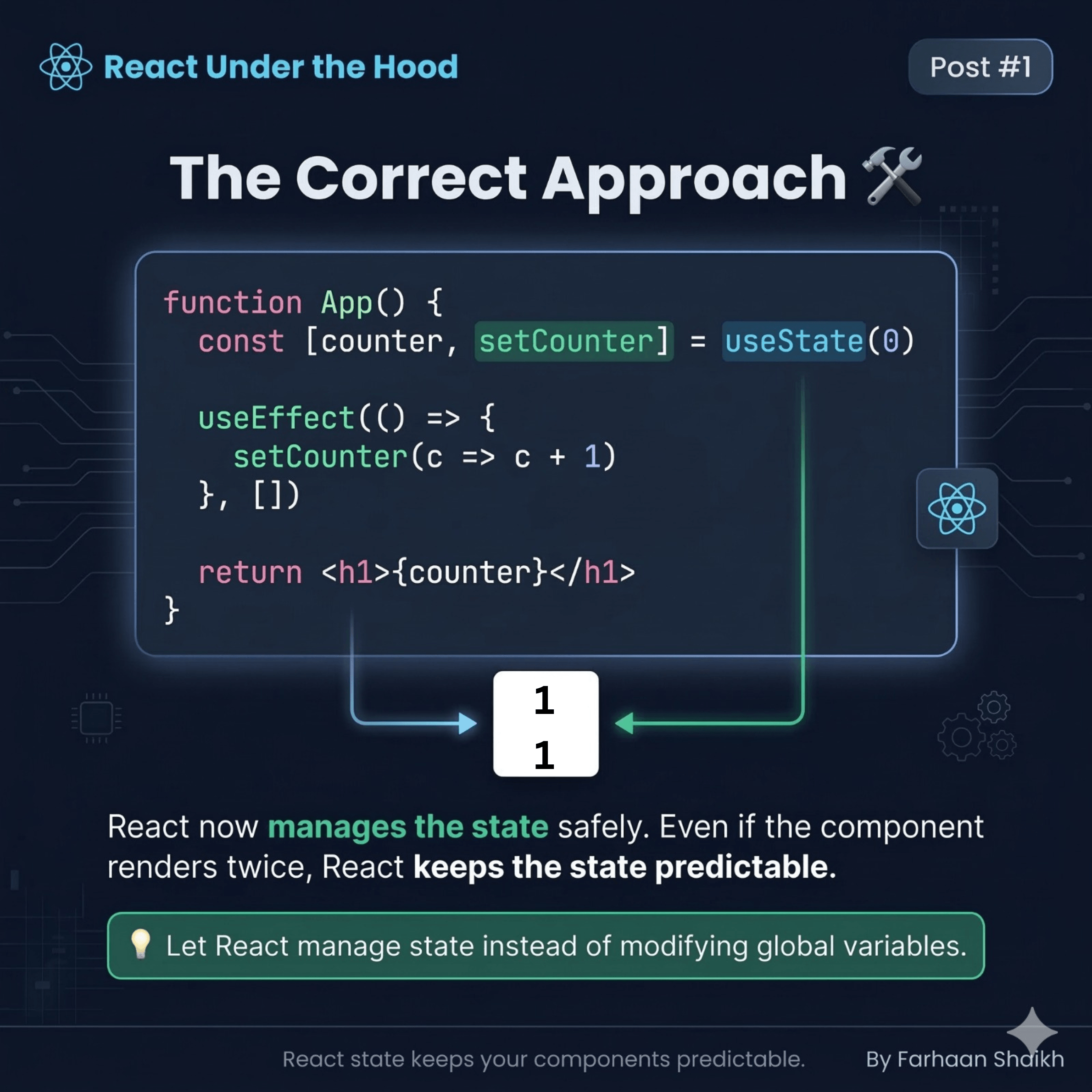
🛠️ The Correct Approach (Using State)
typescript
function App() {
	const [counter, setCounter] = useState(0);

	useEffect(() => {
		setCounter(c => c + 1);
	}, [])

	return <h1>{counter}</h1>;
}
Why this works:
- React owns the state
- Updates are predictable
- Even with double execution → no chaos
💡 Important Detail:
typescript
setCounter(c => c + 1);This is a functional update
👉 It ensures correctness even with multiple renders.
🚨 Another Common Real-World Bug
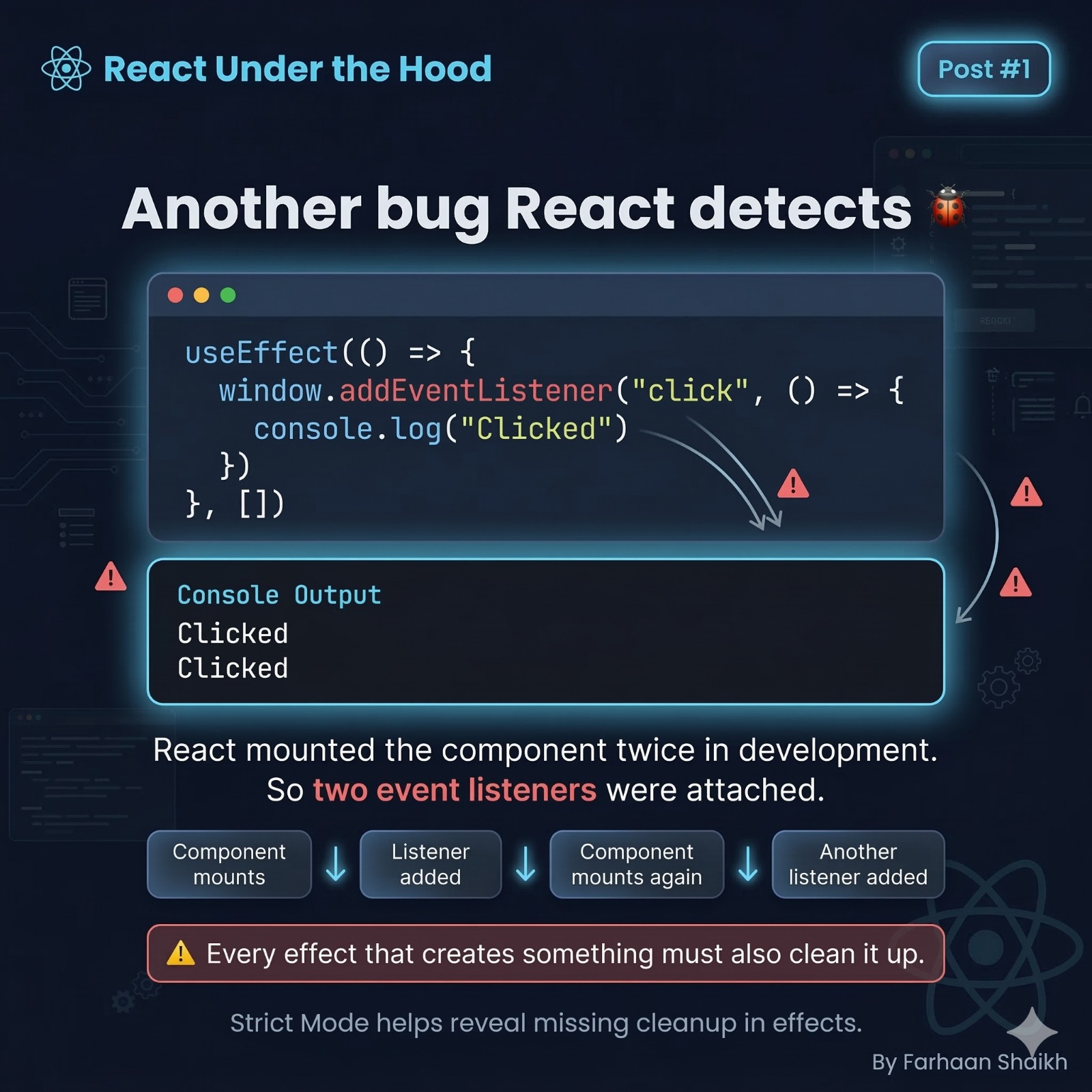
Now let’s move to a very practical example:
typescript
useEffect(() => {
	window.addEventListener("click", () => {
	console.log("Clicked");
	  })
}, [])
Output:
plain text
Clicked
Clicked
What happened?
React mounted the component twice.
So:
👉 Two event listeners got attached.
This is not React’s fault.
This is your missing cleanup.
🧹 The Fix
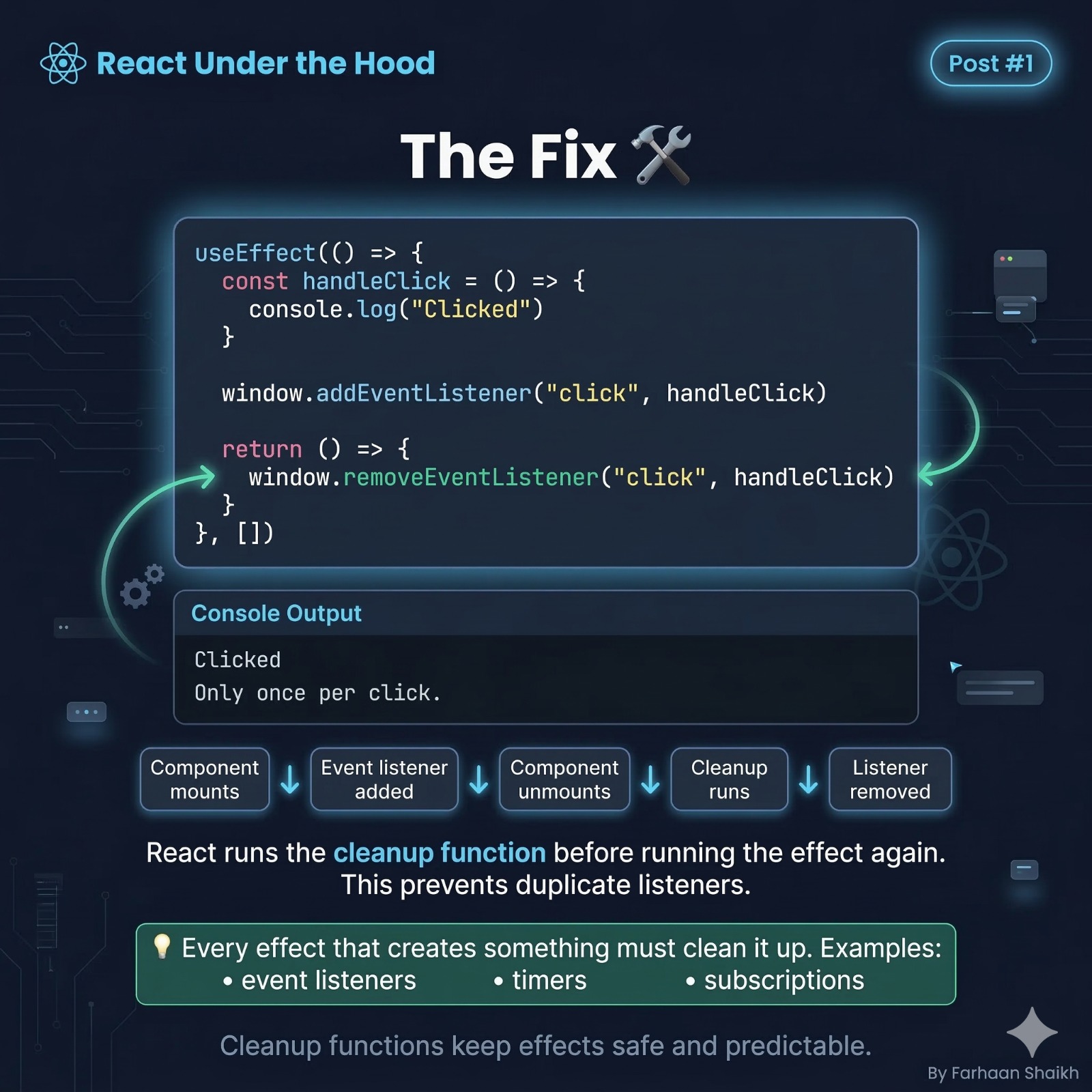
Whenever you create something inside useEffect:
👉 You must clean it up.
Fixed version:
typescript
useEffect(() => {
	consthandleClick= () => {
		console.log("Clicked");
	}

	window.addEventListener("click", handleClick);

	return () => {
		window.removeEventListener("click",handleClick);
	}
}, [])
What happens now:
plain text
Mount → Add listener
Unmount → Remove listener
Mount again → Add listener
Only ONE listener exists.
🧠 Deep Insight (Senior-Level Thinking)
Every useEffect has a lifecycle:
plain text
Effect runs → Cleanup runs → Effect runs againSo always think:
👉 “If this runs twice, will it break?”
If yes…
👉 Your effect is unsafe.
📦 Common Things That Require Cleanup
You MUST clean up:
- Event listeners
- Timers (setTimeout, setInterval)
- API subscriptions
- WebSockets
- Observers
🚫 What Beginners Usually Do
- Ignore double execution
- Disable Strict Mode ❌
- Add hacks ❌
✅ What Professionals Do
- Understand the root cause
- Fix side effects
- Write predictable components
🧩 The Bigger Picture
Think of Strict Mode as:
👉 A free testing layer from React
It helps you detect:
- Memory leaks
- Duplicate subscriptions
- Uncontrolled mutations
- Unpredictable state
🧠 Final Mental Shift
Don’t think:
❌ “Why is React doing this?”
Start thinking:
✅ “What is React trying to protect me from?”
🎯 Final Takeaways
- useEffect running twice is intentional
- It happens only in development
- It helps detect:
- Hidden side effects
- Missing cleanup
- Unsafe logic
🔥 One-Line Summary
👉 If your code breaks when run twice, it was already broken.
🚀 What You Just Learned
You didn’t just fix a bug.
You understood:
- How React validates your code
- Why purity matters
- How effects actually work
🔜 Next Post
Why React components re-render (and why most developers misunderstand it)